
 Home
Home  Apps
Apps  Games
Games  Windows
  Terms of Service
  Cookies & Privacy Policy
  About us
AI Video Generator: Livensa

 4.1
4.1 1,000,000+ Downloads
5.9.9 Version
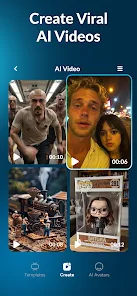
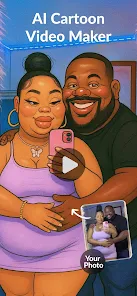
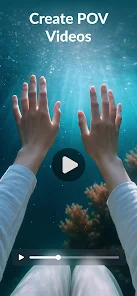
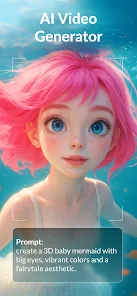

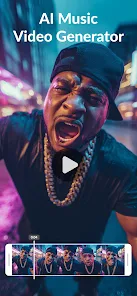

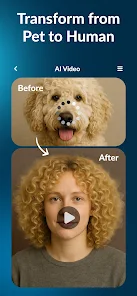
Information
- Category: Art & Design
- Price: free
- Age Rating: Everyone
- Available on: /
- Developer: FERASET
- Updated on: Jun 3, 2026
Pros 
-
 Transform ideas into videos quickly
 - User-friendly interface for all
- Customizable templates for ease
- High-quality output in minutes
- Supports multiple languages easily
- Seamless sharing on social media
Cons 
-
 Limited customization options
 - Quality may vary significantly
- Requires a stable internet connection
- Can be expensive for frequent use
- May lack human touch in videos
Get Installation Details  Google Play
  App Store
Google Play App Store User Reviews
(173K Reviews) April Cantos2026/06/08
purchased a lifetime and now they use credits which I still have to pay for so I literally spent the money for the app to say "Oh sorry we use credits now but thanks for the money!" they didnt even give me the amount of credits worth of the money I spent, I mean whatever I dont like spending money on apps that use credit systems hence why I purchased the lifetime option. so yeah if there was an option I would definitely rate this app negative 6 stars. (-6☆)
- Aaron McClure2024/04/12
I paid for the full version to unlock all features. There are no other features. It has no detailed customizations, the "videos" are just 5 second clips. They just put a moving background to a still image that only vaguely resembles your prompt. It takes 10 minutes to render, and I was able to get three of them to work. Afterwhich, I couldn't access any of them in my "library". When I clicked on them to watch, it was just a black screen that wouldn't load. Absolute garbage, and a total scam.
- Ethan Spielvogel2024/07/07
I installed this because there was a commercial showing old photos being animated. The commercial said that you could see past loved ones animated again. Yet the app has no way to upload, so that was a lie. Then I tried to use it with its actual functionality and I created a prompt to see how it respond. I included 3 elements. Only 1 was used in the video. Also, the video was very jumpy.
- Jeromy Bean-Thurlow2024/07/20
The app starts with a video brought to life with a prompt, then shows a photo come to life, then pops up a window asking for "support" which then brings up the play store so you can rate the app you have not accessed in any way at all! It then asks for a lot of money to subscribe. Then it gives an offer for a service for cheap. After all of that you finally can create! I upload an image to see what it looks like when brought to life and it won't let me unless I start paying for their app! SCAM!
- Ryan Kelly2024/09/18
Tried to make multiple videos and use multiple other templates. Not one of them came out as good as advertised. Bodies missing or smudged. When you type in what you want AI to make, it does not come out as you describe it. I tried bringing an old photo to life, and all the animation did was zoom in on the photo. This was not even close to meeting expectations. At the moment, I would strongly discourage you from purchasing.
Review Source: Google Play store public user reviews.
FAQ
Can I submit suggestions or feedback to Livensa?
Yes, Livensa encourages user feedback and suggestions through their support channels or in-app feedback options.
Does Livensa collect my personal data?
Yes, Livensa may collect personal data to improve services, but it adheres to privacy regulations.
Does Livensa support offline use?
Livensa requires an internet connection for most features, as it relies on cloud-based AI processing.
How do I cancel my Livensa subscription?
You can cancel your Livensa subscription through your account settings in the app or via the app store.
How much does a subscription to Livensa cost?
Subscription costs vary, typically starting at a monthly fee, with options for annual plans available.
How to use AI Video Generator: Livensa
Can I change my account details in the Livensa app?
Yes, you can update your account details in the 'Profile' section of the app.
How can I contact customer service for the Livensa app?
You can reach customer service through the app's support section or by emailing support
How do I activate my Livensa app account?
Click the activation link in the email you received after signing up to activate your account.
How do I log in to the Livensa app?
Open the app, enter your registered email and password, then tap 'Log In.'
How do I report an issue with the Livensa app?
You can report issues through the app's support feature or by contacting customer service via email.
What's New
- We've fixed some bugs and made minor improvements! Enjoy!
Similar Apps















You May Like

ibis Paint X
ibis inc.
4.4

Tattoo AI - Tattoo Design
HubX
4.3

VioAI:Video & Image Creator
Fire Elite Team
3.9
ThemeX: App Icon & My Widgets
CEM SOFTWARE LTD
4.0

Passport Photo: ID Photo Print
TAPUNIVERSE
4.6
OneUI 8.5 Icons
AppixoStudio
4.1

GoraAI:Photo Video Maker Music
Apps Brains

GenV - AI Video Generator
Nguyen Binh Trong
4.4

Decluttify - Cleanup Your Home
Asana Rebel
3.7

Creati:AI Image Video Maker
Mojio AI Photo Generator
3.8

CartoonDream-Aging Face Filter
FutureDream Lab
4.4

Callipeg: 2D Animation App
ENOBEN
4.5