
 Home
Home  Apps
Apps  Games
Games  Windows
  Terms of Service
  Cookies & Privacy Policy
  About us
Norton 360: Mobile Security

 4.6
4.6 50,000,000+ Downloads
26.0.0.260126066 Version
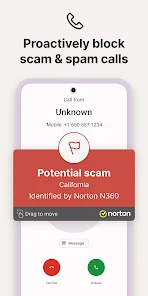
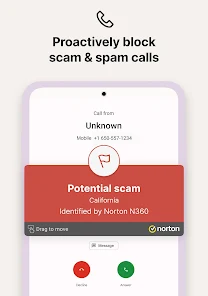
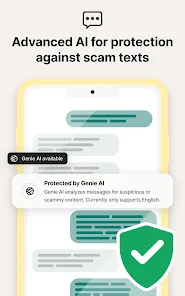
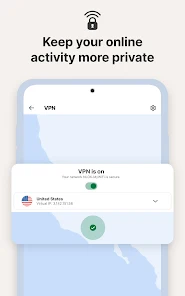
Information
- Category: Tools
- Price: free
- Age Rating: Everyone
- Available on: /
- Developer: NortonMobile
- Updated on: Jun 30, 2026
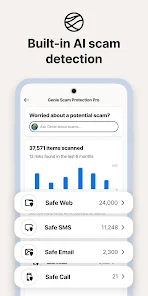
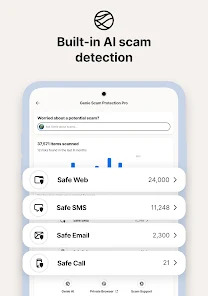
Norton 360 Mobile Security App is a mobile security app developed by NortonLifeLock, Inc. It provides users with a comprehensive suite of security features to protect their mobile devices from malicious threats. The app includes features such as anti-theft protection, malware protection, web protection, and more. It also provides users with the ability to remotely locate, lock, and wipe their device in the event of theft or loss.
Features & Highlights
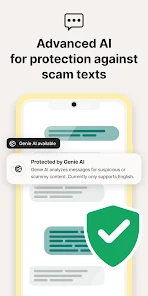
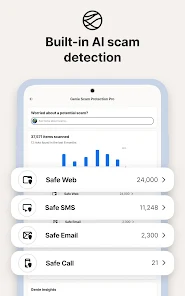
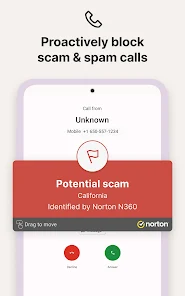
Norton 360: Mobile Security is a powerhouse of a security app designed to protect your mobile device from various threats. As someone who values the safety of my personal information, I found several standout features that really enhance the app's utility. Here are some of the core features that make Norton 360 a top choice for mobile security:
Real Experience Using Norton 360: Mobile Security
Application Scenarios
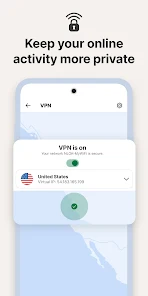
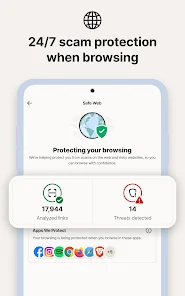
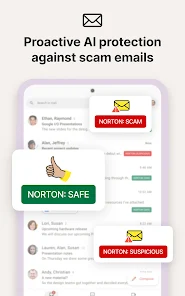
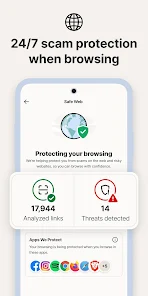
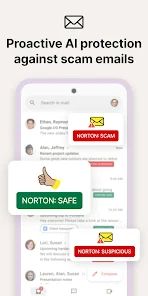
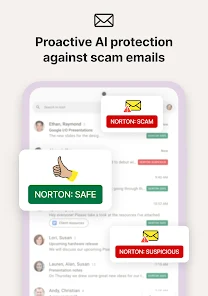
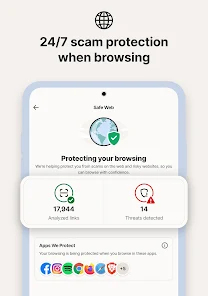
My experience with Norton 360: Mobile Security has been nothing short of transformative. One of the first scenarios that comes to mind is when I was traveling for work. I found myself in a hotel where the Wi-Fi connection was questionable at best. I opened the Norton app, activated the VPN, and felt instantly safer while checking emails and accessing sensitive documents. Another instance was when I received a suspicious email prompting me to click a link. I hesitated, opened the Norton app, and used the web protection feature, which confirmed that the site was indeed a phishing scam. This real-time protection has been invaluable in my daily life.
User Experience
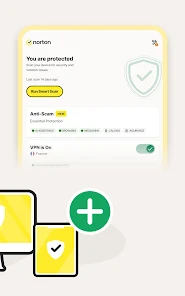
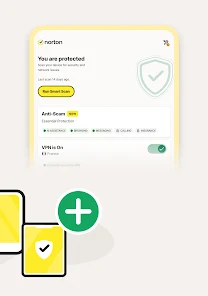
The user interface of Norton 360 is clean and intuitive. Upon opening the app, I was greeted with a dashboard that clearly displays the security status of my device. Navigating through the features is straightforward, whether I’m running a scan, checking my VPN status, or optimizing device performance. The app runs smoothly without any noticeable lag, which is crucial for someone like me who juggles multiple tasks throughout the day. The overall feeling after using Norton 360 is one of reassurance; it’s comforting to know that I have a top-tier security app actively working in the background to protect my information.
Pricing
Norton 360 offers various pricing plans to suit different needs. For a single device, the pricing starts at an affordable rate, making it accessible for individuals. For families or multiple devices, there are bundled plans that provide significant savings. Given the extensive features and peace of mind it provides, I believe the pricing is justified. Investing in mobile security is a small price to pay for the protection it offers against cyber threats.
Updates & Support
Norton has a solid reputation for providing regular updates to ensure the app remains effective against emerging threats. I've noticed that whenever there’s a new update, I receive a prompt, making it easy to stay current with the latest features and security enhancements. The customer support is also commendable; I previously had a question regarding a feature and reached out via their support chat, receiving a prompt and helpful response. Having reliable support is essential for any security app, and Norton excels in this area.
Security & Privacy Review
When it comes to security and privacy, American users have legitimate concerns, particularly around data protection and transparency. Norton 360: Mobile Security is available on both the App Store and Google Play, which lends credibility to its availability and reliability. During the registration process, the app requires minimal personal data, which is reassuring. Unlike many free apps that bombard users with ads and tracking behavior, Norton 360 is ad-free, focusing solely on providing security without compromising user data. The lack of intrusive ads and the commitment to user privacy makes Norton a trustworthy option for anyone looking to enhance their mobile security.
Pros 
-
 Comprehensive malware protection safeguards your mobile device against threats.
 - Real-time threat detection ensures immediate response to potential risks.
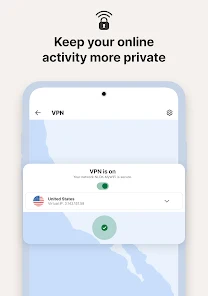
- Secure VPN keeps your online activities private and encrypted.
- Anti-theft features help locate and protect lost or stolen devices.
- Easy-to-use interface simplifies navigation and security management.
Cons 
-
 Norton 360 can slow down device performance during scans and updates.
 - The subscription cost is relatively high compared to other mobile security options.
- Limited customization options may not suit advanced users' preferences.
 Google Play
  App Store
 User Reviews
(1.97M Reviews) T Sineath2024/10/13
I love the service, it's great especially for the price. It adds a great peace of mind when checking my emails and such. However the app keeps sending me notifications at like 4 am. I work a swing shift late in the day this is very much an inconvenience pn my sleep schedule. I have no idea how to stop it except to silence my notifications from the app.
- Jenee Berning2026/06/19
This app has a lot of bugs. I have tried everything but within the last few months the app will stop protecting my phone even with all the automatic settings on. this happens to our lap tops too. i get notifications of security being turned off multiple times a day. not renewing subscription and we have had Norton for many, many years. its also stupid expensive to renew, but not to buy another product key on amazon.
- C Cmc2026/06/24
You ask me to elaborate on the previous post but it only allows me to add or retype it. Norton cleaner, for one, should be included to clear any anomalies or junk, spam, duplicates ..anything that needs cleaned. I clear cache etc. already. I think more should be included for the cost we are paying for 360, including identity protection...why have so many different apps to pay for... it's gets unnerving.
- geri remy2026/06/20
Constant upselling. Norton seems to be a good product. However, the constant ads that pop up and slow down the functioning of your system is ridiculous. Then you get the renewal and the price doubles for les product. It's not worth the hassle. There are many other products that offer the same wo all of the games.
- Larry2026/04/05
What is going on with Norton? I had an update last night and it apparently added email scanning, but everytime I try to add my email to be scanned it says something went wrong and to try again, it fails everytime. On top of that, they made the Norton Clean a separate subscription now and it used to be free. I pay $160 a year and I'm getting @#$%#@ for it. After 4 years maybe it's time to switch to Aura. They cover more anyhow without all the extra fees. Now the VPN wont stay connected
Review Source: Google Play store public user reviews.
FAQ
Can I submit suggestions or feedback to Norton 360: Mobile Security?
Yes, users can submit suggestions or feedback through the app or by visiting the Norton support website, where they can find options for contacting customer service.
Does Norton 360: Mobile Security collect my personal data?
Norton 360: Mobile Security may collect some data to enhance its services, but it adheres to strict privacy policies and safeguards user information.
Does Norton 360: Mobile Security support offline use?
Yes, certain features of Norton 360: Mobile Security can be used offline, such as malware scanning, but some functionalities, like VPN and web protection, require an internet connection.
How do I cancel my Norton 360: Mobile Security subscription?
You can cancel your subscription by logging into your Norton account online and following the cancellation process outlined under your subscription settings.
How much does a subscription to Norton 360: Mobile Security cost?
Subscription costs can vary based on the plan chosen, typically starting from a few dollars per month, with options for annual subscriptions that may offer savings.
How to use Norton 360: Mobile Security
Can I update my customer number through my Norton360 account?
No, customer numbers are assigned and cannot be changed directly through your account. Contact customer service for assistance.
How can I contact customer service for Norton360?
You can reach Norton360 customer service through their official website or by calling their support hotline for assistance.
How can I update my payment information in my Norton360 account?
Log in to your Norton account, go to the billing section, and update your payment information there.
How do I activate my Norton360 account?
To activate your account, log in to your Norton account and enter your activation code found in your purchase confirmation.
How do I find my customer service number for Norton360?
Your customer service number is available on the Norton website or within your account dashboard.
What's New
- Thanks for using Norton 360! We’ve tidied things up to give you an even smoother app experience. We’ll keep you posted whenever we release new updates.
Similar Apps














You May Like

Calculator
Google LLC
4.4

Clean Fix Plus
AppDustBuster
4.4

Photo Recovery-File Rescue
Technology Hub Pro
4.1

Google Translate
Google LLC
4.3

ProCleaner - Storage Cleaner
Appsiko
4.1
PDF Reader - PDF Viewer
L4B Software Inc.
4.6

NordVPN – fast VPN for privacy
Nord Security
4.6

Cyber WiFi
WANWIN LIMITED
4.4

Viva VPN
Viva team
4.4

Strobe
Zidsoft
3.9

Smart TV Remote: Screen Mirror
Longfellow Rising

Sadx FreeStyle
Lunexa Studios
4.6