
 Home
Home  Apps
Apps  Games
Games  Windows
  Terms of Service
  Cookies & Privacy Policy
  About us
Voice Changer

 4.2
4.2 10,000,000+ Downloads
1.2.59 Version
Information
- Category: Entertainment
- Price: free
- Age Rating: Everyone
- Available on: /
- Developer: AndroidRock
- Updated on: Sep 28, 2025
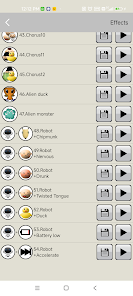
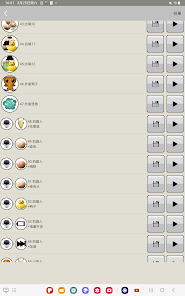
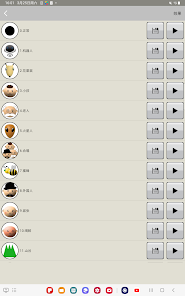
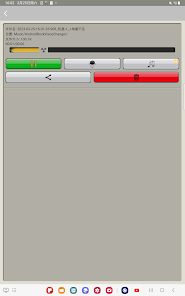
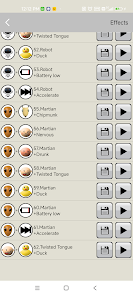
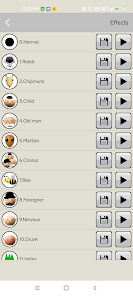
Unleash your creativity with the Voice Changer app! Transform your voice into a variety of fun and exciting sounds, from playful cartoon characters to spooky monsters. Whether you want to prank your friends, add a unique twist to your voice messages, or create entertaining content for your social media, our app has you covered. With an easy-to-use interface and a wide range of voice effects, you can easily adjust pitch, speed, and tone to create the perfect sound. Share your creations instantly with friends or save them for later. Don’t miss out on the fun—download the Voice Changer app today and start experimenting with your voice like never before!
Features & Highlights
Real Experience Using Voice Changer
Application Scenarios
In my daily life, I found several scenarios where the Voice Changer app really shines. For instance, during a recent game night with friends, we decided to spice things up by using the app to impersonate different characters while playing charades. Not only did it add a layer of humor, but it also made the game more interactive and entertaining. Additionally, I often send voice messages to my family, and using a funny voice effect has become a delightful way to keep our conversations lively.
User Experience
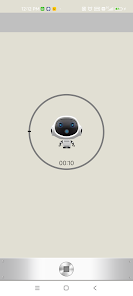
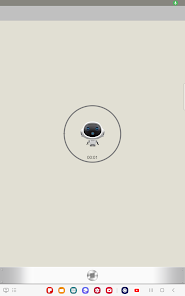
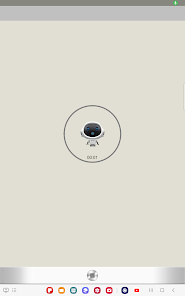
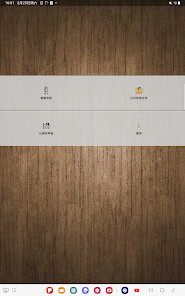
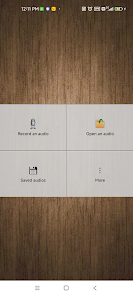
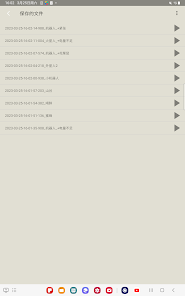
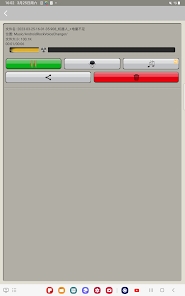
When I first opened the Voice Changer app, I was immediately impressed by its clean and engaging interface. The design is straightforward, with all the key features easily accessible from the main screen. The workflow is seamless; I could switch between different voice effects effortlessly. The performance was smooth, and I experienced no lag or glitches during my use. After recording a few messages, I found myself chuckling at how realistic some of the effects sounded. Overall, my experience with the app was positive, as it delivered on its promise of fun and creativity without unnecessary complications.
Pricing
Voice Changer offers a free version that comes with basic features, which is a great way to explore the app without commitment. For those looking for advanced features and a wider selection of voice effects, there is a premium version available for a reasonable monthly subscription. I opted for the premium version after trying the free one, and I feel it’s worth every penny for the added fun and quality.
Updates & Support
The developers of Voice Changer have been proactive about releasing updates, which is evident in the app’s regular improvements and added features. I appreciate the effort they put into enhancing user experience. In terms of support, I found the FAQ section helpful and responsive. Whenever I had questions, reaching out to customer service was easy, and they replied promptly, addressing my concerns effectively.
Security & Privacy Review
As an American user, security and privacy are paramount when using any app, and I’m happy to report that Voice Changer sources its downloads from reputable platforms like the App Store and Google Play. This gives me confidence in the app's legitimacy. Registration requires minimal personal data, which I appreciate; simply creating a user profile with an email is sufficient to access most features.
Additionally, I noticed that while the app does contain ads, they are not intrusive, and the tracking behavior appears to be limited. I reviewed the privacy policy, and it clearly outlines how my data is handled, which is reassuring. Overall, I feel secure using Voice Changer, knowing that my information is treated with respect and care.
Pros 
-
 Enhances creativity in content creation and entertainment.
 - Allows for privacy by masking your real voice.
- Enables unique character voices for gaming and storytelling.
- Facilitates fun interactions during online chats and calls.
- Supports accessibility for individuals with speech difficulties.
Cons 
-
 Voice changers can distort audio quality, making communication unclear.
 - They may introduce delays, disrupting real-time conversations.
- Users risk losing authenticity, leading to trust issues in interactions.
- Some devices are expensive, limiting accessibility for casual users.
Get Installation Details  Google Play
  App Store
Google Play App Store User Reviews
(408K Reviews) A Google user2018/12/02
This app is ASTOUNDING! I downloaded this for the sake of my Genderbent Jevil voice acting, and it has so many choices, it's a bit overwhelming! Edit: Okay, there is one problem. Each time it records and pulls up a recording, it turns my phone's volume all the way up. The first few times I used it, I nearly had a panic attack.
- Holly T2022/07/10
Love the app functions for recording things for my preschool drama and music classes, but super annoying to record with videos popping up. Would prefer a paid version or at least static ads (photo with no sound). Seems to be a new thing because I used this app for several years without any problems. Just opened today after not using for a while and ads ramdomly "yelling out" several times. I may look for another app that I can pay to get rid of ads. Didn't see that option anywhere on this one.
- A Google user2018/09/19
Pretty basic and straightforward. I've had a fun time using this app to record voices and make phone calls to trip people up haha. Works great and no issues. The only thing I wish, is to be able to do real time voice changing as you speak, but I could see how that would be difficult as you would still be able to hear your real voice too.
- A Google user2019/12/05
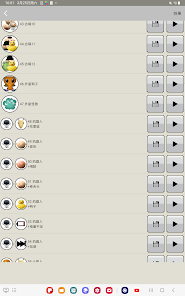
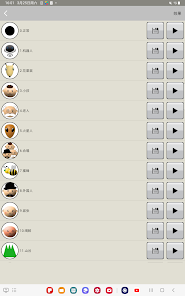
Fun app and works well and easy to use. The only thing that needs improvement is the ability to remove effects you don't like as there seems to be the same effects (if not virtually identical) that have a different name. Maybe have an option to select your favourite and save them in a list so you don't need to scroll through loads that you can't remember if you liked or not. There's 52 in the list but personally I wouldn't use more than 10 of them. Other than that it does what it says 👍🏻
- A Google user2018/10/11
It's very...bland It came clear to me that this app didn't have what I expected from it: personalization or color in any way. It's an OK app but could use a little more personalization like changing background or having a little robot/alien etc. that is actually saying the recording. I deleted it after 5 min. of playing with it. It's flat out boring I'm sad to say.😐😐😐
Review Source: Google Play store public user reviews.
FAQ
Does Voice Changer collect my personal data?
Voice Changer prioritizes user privacy and typically does not collect personal data unless explicitly stated in the privacy policy. Users are encouraged to review it for specific details.
Does Voice Changer offer a free trial or free version?
Yes, Voice Changer offers a free version with limited features, as well as a free trial for users to explore premium features before committing to a subscription.
Does Voice Changer require an internet connection?
Voice Changer can be used offline for most of its features; however, certain functionalities, such as cloud saving or sharing, may require an internet connection.
How can I contact support or send feedback for Voice Changer?
Users can contact support or send feedback for Voice Changer through the app’s help section, via email, or through the official website, where they can find additional resources and support options.
How do I manage or cancel my Voice Changer subscription?
Users can manage or cancel their Voice Changer subscription through the app settings or the app store where they purchased it, following the provided instructions for subscription management.
How to use Voice Changer
How can I contact customer service for the Voice Changer app?
You can reach customer service through the app's support section or visit our website for contact details.
How do I activate my Voice Changer app?
Enter your activation code in the settings menu under 'Activate Product'.
How do I find the customer number for my Voice Changer app?
Your customer number is available in the settings menu under 'Account Information'.
How do I log in to the Voice Changer app?
Open the app and click on 'Log In', then enter your registered email and password.
Is activation necessary for the Voice Changer app?
Yes, activation is required to unlock all features. You can activate it using the code provided upon purchase.
What's New
- 1.2.59:Bugs fixed.
Similar Apps















You May Like

ReelShort - Short Movie & TV
NewLeaf Publishing
4.3

Color by Number:Coloring Games
Wildlife Studios
4.7

8 Ball Pool
Miniclip.com
4.8

HBO Max: Stream TV & Movies
WarnerMedia Global Digital Services, LLC
4.8
Bigo Live - Live Streaming App
Bigo Technology Pte. Ltd.
4.5

TickPick - Live Event Tickets
TickPick LLC
4.8

ShortMax - Watch Dramas & Show
SHORTMAX LIMITED
4.3

VIZIO Mobile
VIZIO
4.3
Google Home
Google LLC
4.1

DramaWave - Dramas & Reels
SKYWORK AI PTE.LTD.
4.7

YouTube TV: Live TV & more
Google LLC
3.8

Kennys Gifs
KED Apps
4.2