
 Home
Home  Apps
Apps  Games
Games  Windows
  Terms of Service
  Cookies & Privacy Policy
  About us
Recove: Inspo to secondhand

 /
/ 10,000+ Downloads
1.6.2 Version
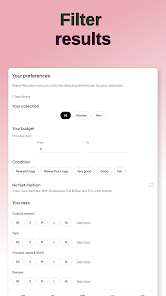

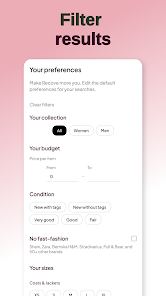









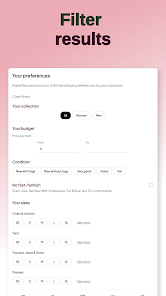


Information
- Category: Shopping
- Price: free
- Age Rating: Teen
- Available on: /
- Developer: Pierre-Emmanuel Diot
- Updated on: Apr 22, 2026
Pros 
-
 Discover unique finds
 - Sustainable shopping made easy
- Connect with local sellers
- Affordable prices for all
- Inspire creativity with reuse
Cons 
-
 Limited user base growth
 - Inconsistent item quality
- Higher shipping costs involved
- Time-consuming search process
- Potential for misleading listings
Get Installation Details  Google Play
  App Store
Google Play App Store User Reviews
(Teeninfo Reviews) kai james2026/05/20
Honestly was perfect, but recently it seems to only recommend clothes that have either been taken down or sold. Literally a roulette as to whether the product is still there. Edit: I think the api might be faulty as it's only recommending items hundreds of days old
- Melina Liana2025/09/02
great idea for an app, finds many similar items and the results are great, but there's no way to put my location anywhere so I've been liking all these items on my vinted but I can't buy any of them because they're not in my region. hope the creators can somehow make a feature to fix this
- Tina Saade2025/10/30
I used to love it and used it to find cool stuff on Vinted but now it's not possible anymore without paying...
- Am's2025/10/17
it was better when you didn't have to pay for just using the app (not like a premium version... just the regular)
- Lucie Rozel2026/06/30
this is a good idea, but it could be a lot better if you didn't have to pay to use it ;-;
Review Source: Google Play store public user reviews.
FAQ
Can I submit suggestions or feedback to Recove?
Yes, Recove encourages user feedback and suggestions through the app's support section or via email.
Does Recove collect my personal data?
Yes, Recove collects personal data to facilitate transactions and improve user experience, but it prioritizes user privacy and data security.
Does Recove support offline use?
Recove requires an internet connection to browse listings and communicate with other users, so offline use is not supported.
How do I cancel my Recove subscription?
You can cancel your subscription through your account settings in the app or by contacting customer support for assistance.
How much does a subscription to Recove cost?
Subscription costs vary based on the features selected, typically starting at a low monthly fee for premium access.
How to use Recove: Inspo to secondhand
How can I contact customer service for Recove?
You can reach our customer service via the app's help section or email us at support
How do I activate my Recove account?
After signing up, check your email for an activation link. Click the link to activate your account. If you don't see it, check your spam folder.
How do I log in to my Recove account?
Open the app, tap on 'Log In', enter your email and password, then click 'Submit'. If you forgot your password, use the 'Forgot Password' link.
What is the customer number for Recove?
Our customer number is available in the app under the 'Contact Us' section. Please refer to it for any inquiries.
Similar Apps















You May Like

Wish
Wish US Holdings LLC
4.8

eBay: The shopping marketplace
eBay Mobile
4.7

Sam's Club
Sam's Club
4.8

Fetch: America’s Rewards App
Fetch Rewards
4.7

Best Buy: Shop tech deals
Best Buy, Inc
4.8

Family Dollar
Family Dollar Stores
3.6

My Bath & Body Works
Bath & Body Works- Mobile
4.6

WinStamp Business
WinStamp Oy
3.7

Veebs
VBS CORP LLC
1.9

TCTV: Trading Card TV
Trading Card TV
4.0

PPP
Pink Palm Puff
5.0

Inventory Bot
Inventory Bot
4.4