
 Home
Home  Apps
Apps  Games
Games  Windows
  Terms of Service
  Cookies & Privacy Policy
  About us
Tzofar - Red Alert | צופר

 4.3
4.3 1,000,000+ Downloads
20.6.14 Version
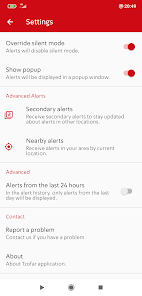
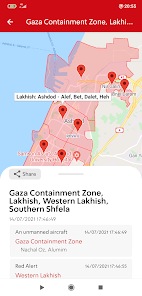
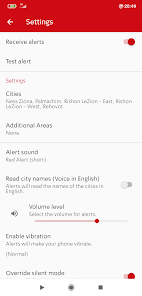
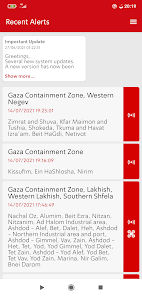
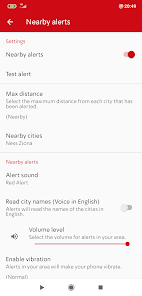
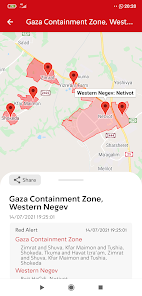
Information
- Category: News & Magazines
- Price: free
- Age Rating: Everyone
- Available on: /
- Developer: RedAlert
- Updated on: Mar 12, 2026
Pros 
-
 Stay informed with real-time alerts
 - User-friendly interface for all ages
- Customizable notifications for safety
- Access to emergency resources easily
- Community support and updates shared
Cons 
-
 Limited user support options
 - Infrequent updates and fixes
- Complex navigation for users
- High battery consumption issues
- Occasional bugs and glitches
Get Installation Details  Google Play
  App Store
Google Play App Store User Reviews
(3.04K Reviews) bt sabra2026/03/12
I'd post a screenshot if I could. While the app alerts you, the developers make it near impossible to use the back arrow because that's right where they placed the Install CTA button for an aggressive app ad. SRSLY?!
- mikhael kadesh rosa Assunção2025/04/26
It would be helpful to have a setting for the early alert that allows it to be active only during daytime hours. Those extra two minutes are really important for finding shelter during my commute, but at night, I'd rather only receive the main alert.
- Steven Baldassari2023/10/21
Great app, just one suggestion... Please add a legend somewhere so people can understand what each type of alert means. Because right now, all we have is different icons and it's sometimes a little bit difficult to figure out what they mean.
- Eitan Levy2026/05/18
the must useful and customizable alert app
- Lior Bobrov2024/09/23
Good app, I have 2 questions for now: 1. When the app reads the names of the threatened locations and I decrease the device's volume, the app increases the volume back to the maximum... is this a bug or feature? 2. After 10 minutes since the notification for a threatened location appears on screen, the notification remains on the screen and does not disappear - is there an built-in option to dismiss the notification after 10 minutes? Thanks in advance, Lior
Review Source: Google Play store public user reviews.
How to use Tzofar - Red Alert | צופר
How can I contact customer service for the Tzofar - Red Alert app?
You can reach customer service through the app's settings or visit the official website for support options.
How do I activate my Tzofar - Red Alert app?
To activate, enter the activation code sent to your email during registration in the app's activation section.
How do I log in to the Tzofar - Red Alert app?
Open the app and enter your registered email and password on the login screen.
Is activation necessary for the Tzofar - Red Alert app?
Yes, activation is required to access all features. Follow the instructions provided during the setup process.
What is the customer number for Tzofar - Red Alert?
The customer number can typically be found in the app's help section or on the official website.
What's New
- - Option to upload custom alert sounds- Temporary mute mode during shelter stay or similar situations- Voice alerts for Home Front Command flash messages and instructions - Full support for all types of alerts and instructions - New sounds and option to choose an end-of-event, instruction, or early warning sound - Improved flash message and instruction display Receive Home Front Command alerts and early warnings in cases of long-range missile launches.
Similar Apps















You May Like

FOX LOCAL: Live Streaming News
Fox Television Stations, Inc.
3.7

The New York Times
The New York Times Company
4.7

Fox Nation App
FOX News Network, LLC
3.9

Citizen: Local Safety Alerts
Sp0n Inc.
4.5

BBC News
BBC Studios Distribution Ltd.
3.5

AP News
The Associated Press
4.4

PEOPLE: Pop Culture & Puzzles
Dotdash Meredith Inc.
3.9

NBC Connecticut News & Weather
NBCUniversal Media, LLC
3.5

Mortgage News Daily
Mortgage News Daily, LLC
2.1

EL PAÍS
EL PAÍS
3.6

ABC7 Los Angeles
Disney
3.9

Tucker Carlson Network
Tucker Carlson Network
4.1