
 Home
Home  Apps
Apps  Games
Games  Windows
  Terms of Service
  Cookies & Privacy Policy
  About us
Zen Color - Color By Number

 4.7
4.7 10M+ Downloads
1.50.2 Version



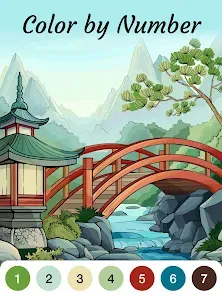
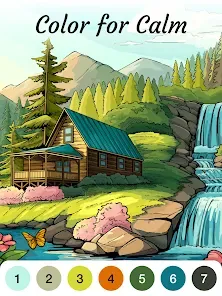
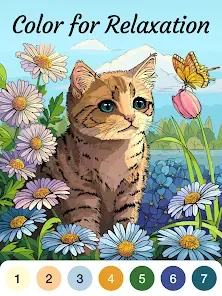
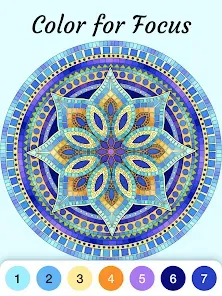

Information
- Category: Game
- Price: Free
- Age Rating: /
- Available on: Android, Windows*
- Developer: Oakever Games
- Updated on: Jun 16, 2026
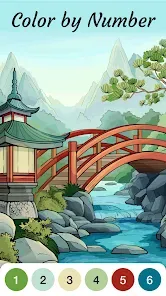
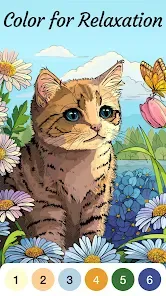
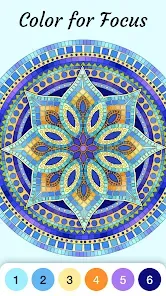
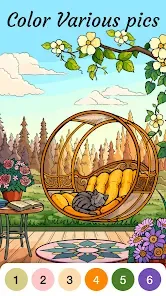
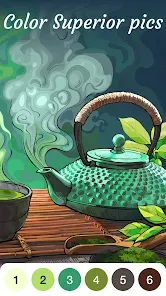
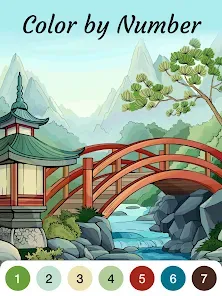
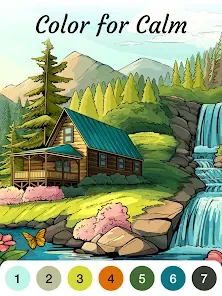
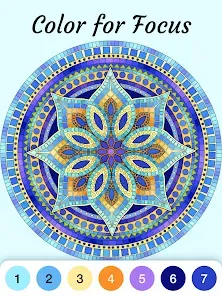
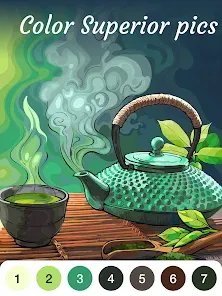
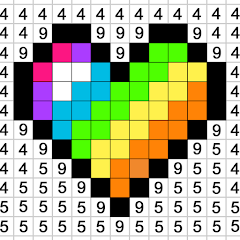
Zen Color - Color By Number App is a mobile application that allows users to create beautiful artworks by coloring in numbered sections. It is a great way to relax and de-stress, as users can choose from a variety of images and color them in with their own unique style. The app also offers a variety of tools to help users create their own artworks, such as a color palette, brush size, and eraser. It also has a variety of features to help users stay organized, such as the ability to save and share their artwork, and the ability to track their progress. Zen Color - Color By Number App is a great way to relax and create beautiful artworks.
Features & Highlights
Real Experience Using Zen Color - Color By Number
Application Scenarios
I started using Zen Color during a particularly hectic week at work when I needed a mental break. After long hours in front of my computer, I found solace in coloring. I typically pull out my phone while sitting on the couch or during my lunch breaks. The portability of the app means I can indulge in a quick coloring session anywhere—whether it's at home, in a coffee shop, or even while waiting in line. I remember one evening when I was feeling particularly overwhelmed; I picked a vibrant floral design and spent an hour lost in the colors, forgetting all my worries.
User Experience
The user interface of Zen Color is straightforward and intuitive, making it easy for anyone to pick up and start coloring immediately. Upon opening the app, I’m greeted with a well-organized menu that displays all available images by category, which I find incredibly helpful. The color palette is beautifully designed, with each color clearly labeled by number. As I tap on a section to color, the app zooms in, allowing precise filling without any hassle. The performance is smooth; I’ve never experienced lag or crashes, which is essential for maintaining that meditative flow. Overall, using Zen Color feels like a journey into relaxation, and I often find myself eagerly looking forward to my next coloring session.
Pricing
Zen Color - Color By Number operates on a freemium model, allowing users to access a wide range of images for free, which is fantastic. For those who want premium features, such as additional images and an ad-free experience, there is a subscription option available. Personally, I find the free version sufficient for my casual coloring needs, but the premium features are tempting for frequent users.
Updates & Support
The developers of Zen Color seem committed to enhancing user experience, as evidenced by regular updates that introduce new images and features. I appreciate the quick fixes for any bugs and enhancements that improve usability. When I encountered a minor issue, the support team was responsive and helpful, resolving my query quickly. This level of customer support gives me confidence in the app and its future.
Security & Privacy Review
From a security and privacy perspective, Zen Color is quite reassuring for American users. The app is available on both the App Store and Google Play, which ensures that it meets certain security standards. Registration is straightforward, requiring minimal personal data, which I appreciate as it minimizes exposure. I have noticed ads while using the free version, but they are not overly intrusive, allowing for an enjoyable coloring experience without significant interruptions. Importantly, the app does not appear to engage in aggressive tracking behavior, making it a solid choice for those concerned about privacy. Overall, I feel confident using Zen Color without compromising my personal information.
Pros 
-
 Relaxing and therapeutic experience for stress relief.
 - Enhances creativity through engaging color selection.
- User-friendly interface suitable for all ages.
- Diverse artwork themes keep the experience fresh.
- Offline mode allows for uninterrupted coloring anytime.
Cons 
-
 Limited color palettes may restrict creativity and personalization.
 - Some users find the interface unintuitive and challenging.
- Frequent ads can interrupt the user experience and enjoyment.
- Progress may be lost if the app crashes unexpectedly.
Get Installation Details  Google Play
  App Store
Google Play App Store User Reviews
(13.3K Reviews) Donald Propp2026/04/09
They ruined a good thing. Had the paid version for about a year, LOVED it, unlimited hints, had a library of 100s of finished paintings. Then one day it all disappeared. New phone, downloaded the new version. My entire library gone. Long ads that force Playstore visits & make it almost unusable. Very limited hints. I emailed their support but no response (yet). No option in new app to sign in as they've told other users to do, or even to re-purchase the paid version. Please fix it!
- Sam Blake2026/03/07
BEST coloring app EVER!! I am so incredibly excited to see it was brought back. I legitimately panicked & cried when it disappeared. There's nothing better than relaxing & coloring after a long, hard day. So far, no other app or game has come close to the quality, ease of use, or overall soothing atmosphere that Zen Color encompasses. The music was especially missed. I am a little sad I had to pay for no ads again, but it's worth every penny. At least all my progress & pictures were recovered!
- Jennifer Lukas2026/06/26
Like others, I also paid for the ad-free version before it was removed from the store. This is one of my absolute favorite apps and would really like my ad-free version again 😔 Edit: I logged in and found my purchase was restored! I missed this app so much and am thrilled to have it back. I would download an mp3 of the music if it was available. This made my day ❤️
- Adrian Tremayne2026/06/11
I am disappointed that I can't change the highlight on the colors in progress. Gray is very difficult for me. I also would like to be able to have the colors automatically switch when I have finished a color. Between that not happening, so I don't know I need to select another color, and the gray highlights, I am uninstalling for now. I'll check back later. I really liked the old Zen Color By Number.
- Matthew Duvall2026/04/21
This app is very relaxing, a great way to pass the time and there are hundreds of varied pictures to color (something for nearly everyone), so it has a lot more replayability to offer than pretty much any mobile game. I did pay like $10 to make it ad-free and get Infinite hints, that definitely makes it more Zen. But that's all I've spent on it. I highly recommend if you enjoy coloring.
Review Source: Google Play store public user reviews.
FAQ
Does Zen Color - Color By Number collect my personal data?
Zen Color - Color By Number may collect some personal data as outlined in its privacy policy, primarily for app functionality and user experience improvement. Users are encouraged to review the privacy policy for detailed information.
Does Zen Color - Color By Number offer a free trial or free version?
Yes, Zen Color - Color By Number offers a free version with limited features, allowing users to try the app before deciding on a subscription plan.
Does Zen Color - Color By Number require an internet connection?
Zen Color - Color By Number can be used offline for coloring images that you have already downloaded, but an internet connection is needed to access new images and updates.
How can I contact support or send feedback for Zen Color - Color By Number?
To contact support or send feedback, you can usually find a support option within the app or visit the official website for additional contact information and resources.
How do I manage or cancel my Zen Color - Color By Number subscription?
You can manage or cancel your subscription through your device's app store settings, where you can find your subscriptions and make any necessary changes.
How to use Zen Color - Color By Number
How can I contact customer service for Zen Color?
You can reach our customer service via the app's help section or email us at support
How can I reset my password for Zen Color?
Use the “Forgot Password?” link on the login screen, enter your email, and follow the instructions sent to your inbox.
How do I log in to Zen Color?
To log in, open the app and tap on the “Log In” button. Use your email and password to access your account.
Is there an activation process for Zen Color?
No activation is required. Simply download the app, create an account, and start coloring!
What is the customer support number for Zen Color?
Currently, we do not have a customer support phone number. Please use our email support for assistance.
What's New
- Zen Color has a fresh new look!Redesigned Interface & Enhanced Gameplay: Dive into a newly polished, more immersive, and relaxing coloring experience.Welcome Back, Returning Users: If you had a previous subscription, you can now easily restore it. Simply head over to the Settings-Help Center to reclaim your benefits.Update today and discover your new favorite way to color and unwind!
Similar Apps






You May Like

Jigsaw Puzzles - Puzzle Games
Easybrain
4.7

Line Rider
Emergent Studios
4.2

Calculator
Google LLC
4.4

Wish
Wish US Holdings LLC
4.8

Hangouts
Google
4.8

Skype
Skype
4.3

DailyWeather: Weather Forecast
SunnyTech Limited
4.3

Microsoft Teams App
Microsoft Corporation
4.7

ReelShort - Short Movie & TV
NewLeaf Publishing
4.3

SeatGeek
SeatGeek
4.4

CVS
CVS Pharmacy
3.4

Pocket FM: Audiobook & Podcast
Pocket FM Corp.
4.6