
 Home
Home  Apps
Apps  Games
Games  Windows
  Terms of Service
  Cookies & Privacy Policy
  About us
ScratchJr


Information
- Category: Education
- Price: free
- Age Rating: /
- Rating: 3.9
- Developer: Scratch Foundation
- Version: 1.3.0
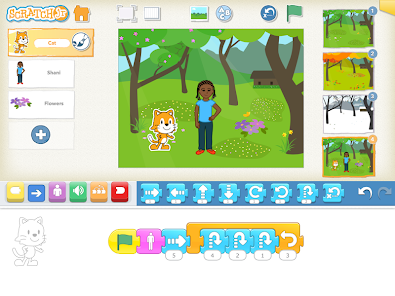
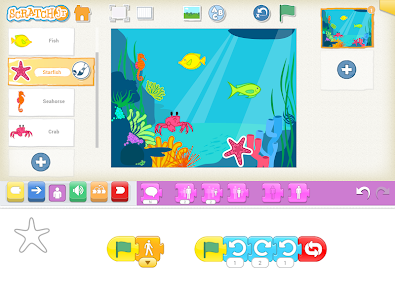
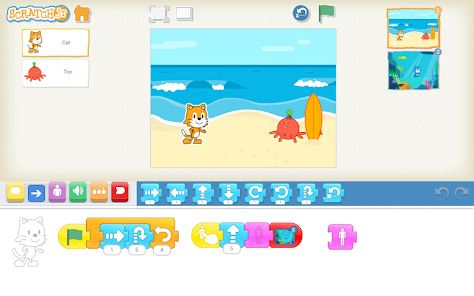
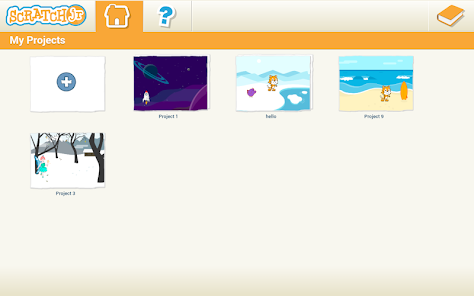
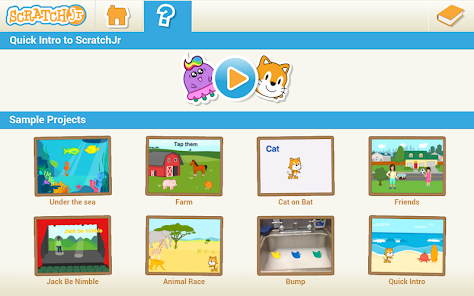
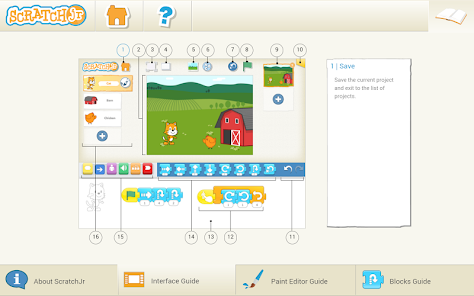
ScratchJr, the innovative coding app designed specifically for young children, has caused quite a stir in the educational technology world. This intuitive and easy-to-use program allows kids to create interactive stories and games using colorful blocks that represent different programming concepts. With its friendly interface and engaging characters, ScratchJr encourages children to explore their creativity while learning fundamental computer science skills such as sequencing, loops, and events. The app also features a variety of fun backgrounds and sound effects that make each project truly unique. From designing their own animated stories to building mini-games with virtual pets or robots, ScratchJr offers endless possibilities for imaginative play and learning. Whether they dream of becoming future game designers or simply want to have some fun with coding concepts, children will find hours of entertainment with this delightful app.
Features & Highlights
ScratchJr is a remarkable app that introduces young learners to the basics of coding in a playful and engaging manner. Here are some core features that stand out:
Real Experience Using ScratchJr
Application Scenarios
As a parent, I often look for educational tools that not only entertain my kids but also teach them valuable skills. ScratchJr has become a staple in our household during weekend family time. On a rainy Saturday afternoon, while we were stuck indoors, I suggested that my kids create their own animated stories using ScratchJr. With the app installed on our tablet, they eagerly dived into the world of coding. They took turns designing characters, writing dialogues, and adding sound effects. The app's engaging interface kept them focused and excited for hours as they brought their imaginations to life.
User Experience
The user interface of ScratchJr is refreshingly simple and colorful, which immediately captured my kids' attention. Navigating through the app felt seamless; I noticed that even my five-year-old could operate it without assistance. The workflow is intuitive—once a project is started, it’s easy to add coding blocks, customize characters, and incorporate sounds. Performance was smooth, and I rarely encountered any glitches or slowdowns, which is a huge plus for maintaining the kids' interest. After using the app consistently, I appreciate how it fosters creativity while subtly teaching programming concepts. The joy on my children's faces as they successfully animate their stories is priceless!
Pricing
ScratchJr is free to download on both iOS and Android devices, which makes it accessible for all families without financial barriers. The absence of hidden fees or subscriptions is a significant advantage, allowing parents to introduce their children to coding without worrying about ongoing costs. This free access is a testament to ScratchJr's mission to make coding education available to everyone.
Updates & Support
The developers behind ScratchJr are committed to maintaining and improving the app. Regular updates introduce new features and enhancements, often based on user feedback. I’ve noticed improvements in stability and the introduction of new character designs in the latest versions. Additionally, the ScratchJr website provides an array of resources for parents and educators, including lesson plans and tutorials, ensuring users have ample support for their coding journey. This proactive approach to support has made me feel confident in recommending the app to other families.
Security & Privacy Review
As a parent, I prioritize the security and privacy of my children while using apps. ScratchJr can be found on trusted platforms, including the App Store and Google Play, which adds a layer of reassurance regarding its legitimacy. The app does not require users to register or provide personal data, which is a significant advantage. This design choice eliminates concerns about data collection or unwanted tracking behavior. Furthermore, ScratchJr is ad-free, allowing kids to explore their creativity without distractions. Overall, I feel confident letting my children use ScratchJr, knowing that their privacy is respected and protected.
Pros 
-
 ScratchJr fosters creativity!
 - It teaches coding basics!
- Kids design interactive stories!
- User-friendly interface for all!
- Encourages problem-solving skills!
Cons 
-
 Limited programming concepts
 - No option for advanced coding
- Basic graphics and animations
- Not suitable for older kids
Get Installation Details  Google Play
  App Store
Google Play App Store FAQ
Can I submit suggestions or feedback to ScratchJr?
Yes, users can submit feedback and suggestions through the app's support section or website.
Does ScratchJr collect my personal data?
ScratchJr does not collect personal data from users, ensuring a safe experience for children.
Does ScratchJr support offline use?
Yes, ScratchJr can be used offline, allowing kids to create without an internet connection.
How do I cancel my ScratchJr subscription?
There is no subscription to cancel, as ScratchJr is a free app with no fees involved.
How much does a subscription to ScratchJr cost?
ScratchJr does not require a subscription; it is completely free to use.
How to use ScratchJr
How can I contact customer service for ScratchJr?
You can reach ScratchJr customer service via their official website or through the app's support section for assistance.
How do I log in to my ScratchJr account?
ScratchJr does not require a login; simply download the app and start using it without creating an account.
Is there a way to activate features in ScratchJr?
ScratchJr is a free app with all features available upon download; no activation is necessary.
What is the customer number for ScratchJr support?
ScratchJr does not have a dedicated customer number; support is primarily through their website and email.
Similar Apps















You May Like

Canvas Student
Education
4.7
Starfall.com
Education
4.1

Moodle
Education
4.5

Planetary Hours
Education
4.4

Brainly: AI Homework Helper
Education
4.5
Anki Pro: Study Flashcards
Education
4.1

Nelnet
Education
1

Star Walk 2 Ads+ Sky Map View
Education
4.6
Learn Coding/Programming: Mimo
Education
4.7

PlantIn: Plant Identifier
Education
4.3

Domestika - Online courses
Education
4.4

PlantNet
Education
4.6