
 Home
Home  Apps
Apps  Games
Games  Windows
  Terms of Service
  Cookies & Privacy Policy
  About us
Seesaw


Information
- Category: Education
- Price: free
- Age Rating: /
- Rating: 4
- Developer: Seesaw Learning
- Version: 10.67.0
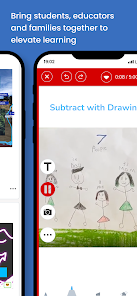
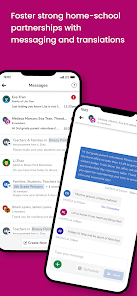
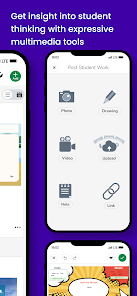
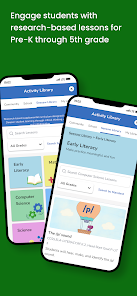
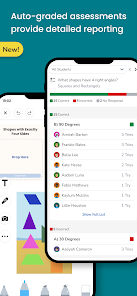
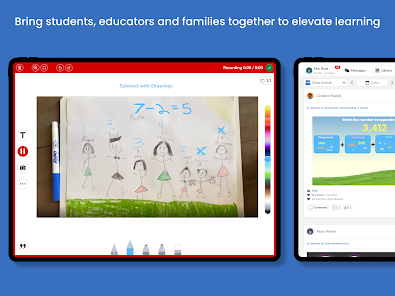
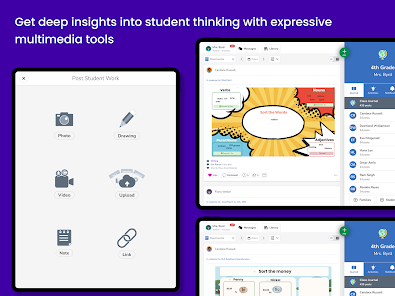
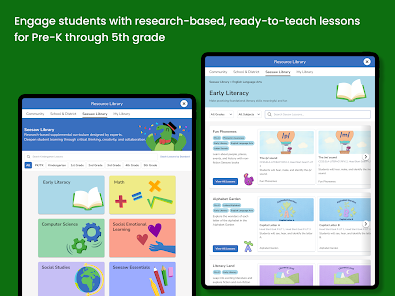
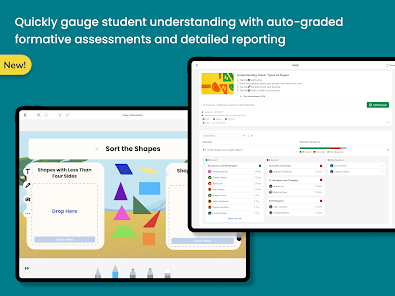
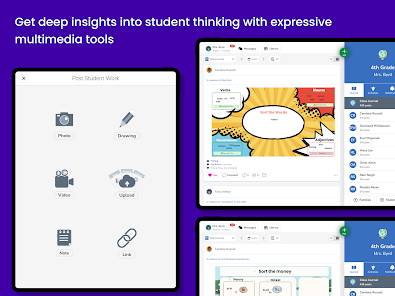
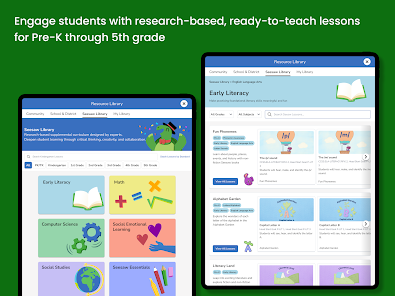
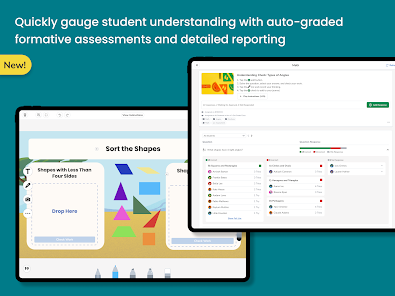
Seesaw is a learning platform that allows teachers and students to create, share, and collaborate on digital learning materials and activities. The Seesaw app is available on iOS and Android devices, and it allows users to access and interact with Seesaw content on their mobile devices.
Features & Highlights
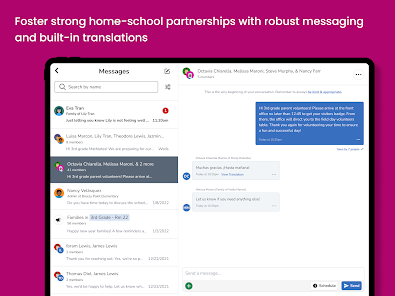
Seesaw is a dynamic platform designed primarily for students, teachers, and parents, facilitating interactive learning and communication. Here are some of the standout features that make Seesaw a favorite in educational environments:
Real Experience Using Seesaw
Application Scenarios
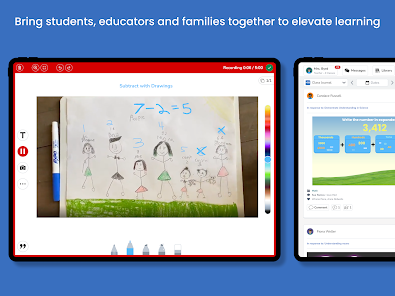
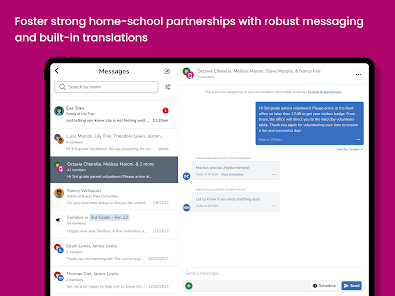
As a parent of two elementary school children, I have found Seesaw to be an invaluable tool in our daily routine. Each evening, we sit down together to review their schoolwork. The app allows my kids to upload their assignments and share their creative projects—like a digital art piece or a video presentation. It’s heartwarming to see their excitement when they receive feedback from their teachers and comments from family members. I also appreciate that I can communicate with their teachers directly through the app, making it easier to stay updated on their progress and any upcoming events.
User Experience
The interface of Seesaw is user-friendly, making it accessible for both kids and parents. The design is bright and engaging, with intuitive navigation that even my youngest can manage. Uploading content is straightforward; my children can easily record videos or take pictures and submit them within minutes. The real-time notifications keep me informed about their submissions and feedback, which I find incredibly helpful. Performance-wise, the app is smooth and responsive, rarely encountering any glitches. Overall, using Seesaw has been a positive experience, bringing us closer to our children’s educational journey.
Pricing
Seesaw offers a free version that is quite comprehensive for most users, especially in elementary settings. However, for schools and districts looking for enhanced features and greater administrative control, there’s a paid version that provides additional tools and resources. The pricing is competitive, especially considering the value it brings to the educational experience for both students and teachers.
Updates & Support
The Seesaw team is proactive about updates, regularly rolling out new features and improvements based on user feedback. Their support system is robust, with a dedicated help center and responsive customer service. I've reached out for assistance regarding a minor technical issue, and I was pleasantly surprised by the quick turnaround in their response, which shows their commitment to user satisfaction.
Security & Privacy Review
When it comes to security and privacy, Seesaw takes significant measures to protect its users, particularly regarding children’s data, which is paramount for American users. The app is available on both the App Store and Google Play, where it maintains a good reputation for safety and compliance with educational privacy laws like COPPA.
Registration requires minimal personal data, which is a relief for parents concerned about privacy. Typically, you only need to provide an email address and create a password, which helps in keeping sensitive information secure. Moreover, Seesaw does not feature intrusive ads or excessive tracking behavior, which is a major plus in today’s digital landscape. They prioritize creating a safe online environment for students, allowing parents to feel secure while their children engage with the app.
Pros 
-
 Seesaw fosters student engagement
 - Interactive learning experiences
- Easy sharing with families
- Supports diverse learning styles
- User-friendly interface for all
Cons 
-
 Limited customization options
 - Complexity for new users
- Inconsistent user support
- Data privacy concerns arise
Get Installation Details  Google Play
  App Store
Google Play App Store FAQ
Can I submit suggestions or feedback to Seesaw?
Yes, Seesaw encourages user feedback and suggestions through their website and support channels.
Does Seesaw collect my personal data?
Seesaw collects some personal data to provide services but is committed to protecting user privacy.
Does Seesaw support offline use?
Yes, Seesaw allows users to work offline, and changes will sync once the device is back online.
How do I cancel my Seesaw subscription?
You can cancel your Seesaw subscription through your account settings or by contacting customer support.
How much does a subscription to Seesaw cost?
Seesaw's subscription cost varies by plan; check their website for the latest pricing details.
How to use Seesaw
How can I contact Seesaw customer service?
You can contact Seesaw customer service through their help center on the website or by emailing support
How do I activate my Seesaw account?
After signing up, check your email for an activation link. Click the link to activate your account and start using Seesaw.
How do I find the customer number for my Seesaw account?
Your customer number can be found in your account settings or by contacting Seesaw support for assistance.
What are the steps to log in to the Seesaw app?
Open the app, enter your email and password, then tap "Log In." If you're using a class code, tap "Join Class" instead.
Similar Apps
















You May Like

Canvas Student
Education
4.7

Starfall.com
Education
4.1

Moodle
Education
4.5

Planetary Hours
Education
4.4

Brainly: AI Homework Helper
Education
4.5

Anki Pro: Study Flashcards
Education
4.1

Nelnet
Education
1

Star Walk 2 Ads+ Sky Map View
Education
4.6

ScratchJr
Education
3.9

Learn Coding/Programming: Mimo
Education
4.7

PlantIn: Plant Identifier
Education
4.3

Domestika - Online courses
Education
4.4